Accounting answers in McGraw Hill Connect: quizzes yes, journal worksheets no
Canvas Quiz Solver answers accounting multiple choice, true/false, check all that apply and numeric questions, under each question in the page. It does not answer journal entry worksheets or the accounting tool yet. McGraw Hill support is in beta.
Works
- Multiple choice and true/false
- Check all that apply
- Numeric questions with one answer box
- Fill in the blank, matching, ranking
- SmartBook questions
Typical in chapter quizzes, unit exams without proctoring, and SmartBook.
Not supported yet
- Journal entry worksheets
- The accounting tool (general journal, ledger, statements)
- Multi-part worksheet problems
- Excel in Connect
- Proctored exams
Worksheets and tools show "This question type isn't supported yet." On proctored exams it stays off.
Short answer
If your accounting homework is mostly journal entries in worksheets, this is not the tool for that homework yet.
If your course has quizzes, exams without proctoring and SmartBook chapters, it answers those questions in the page.
Accounting in Connect has two very different kinds of questions. The first kind is a normal question page: pick an option, tick the boxes, or type one number. Canvas Quiz Solver reads those and shows the answer under the question.
The second kind is a worksheet: a journal entry table, a ledger, or a problem with many boxes across several parts. The extension does not read worksheets or the accounting tool yet, and it says so on the page instead of guessing.
In many accounting courses, chapter quizzes and SmartBook are the first kind, and much of the chapter homework is the second kind. Open one of your assignments and look before you pay: the free answers show you which kind you have.
Accounting questions it answers
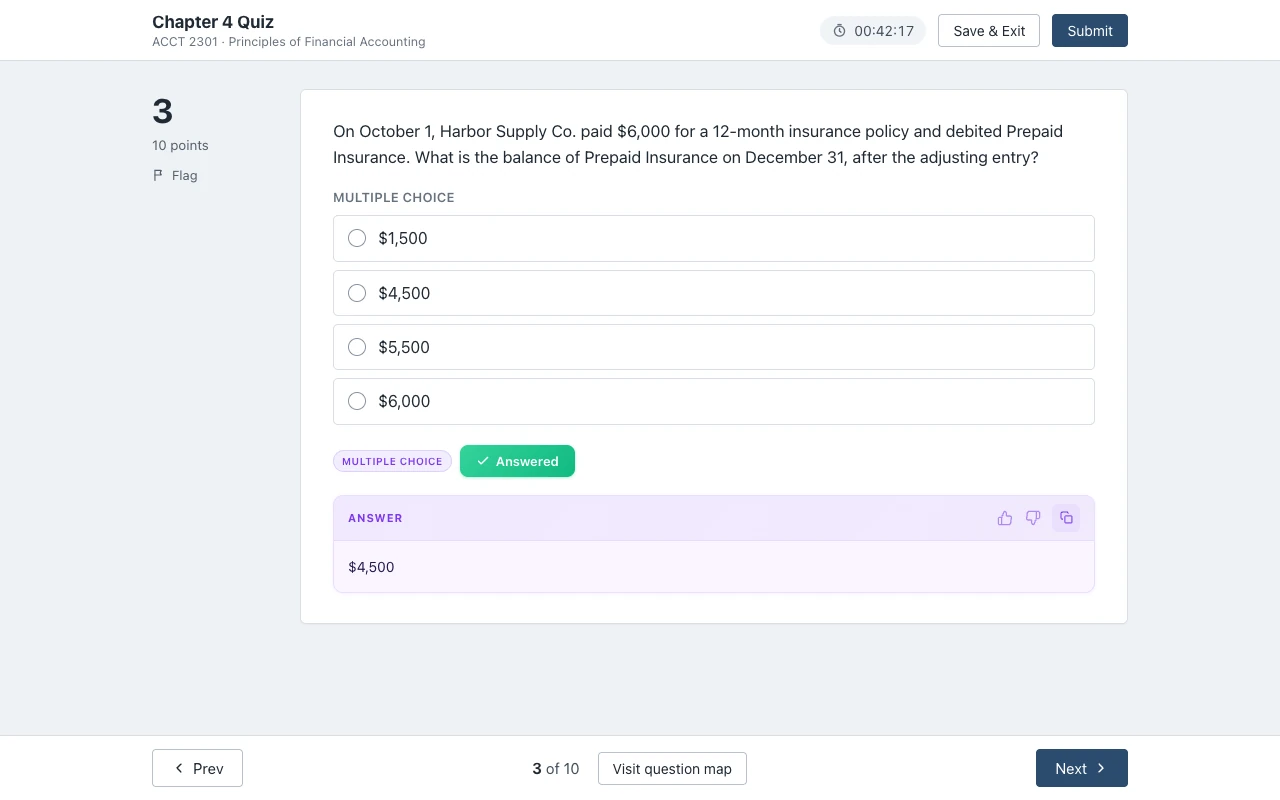
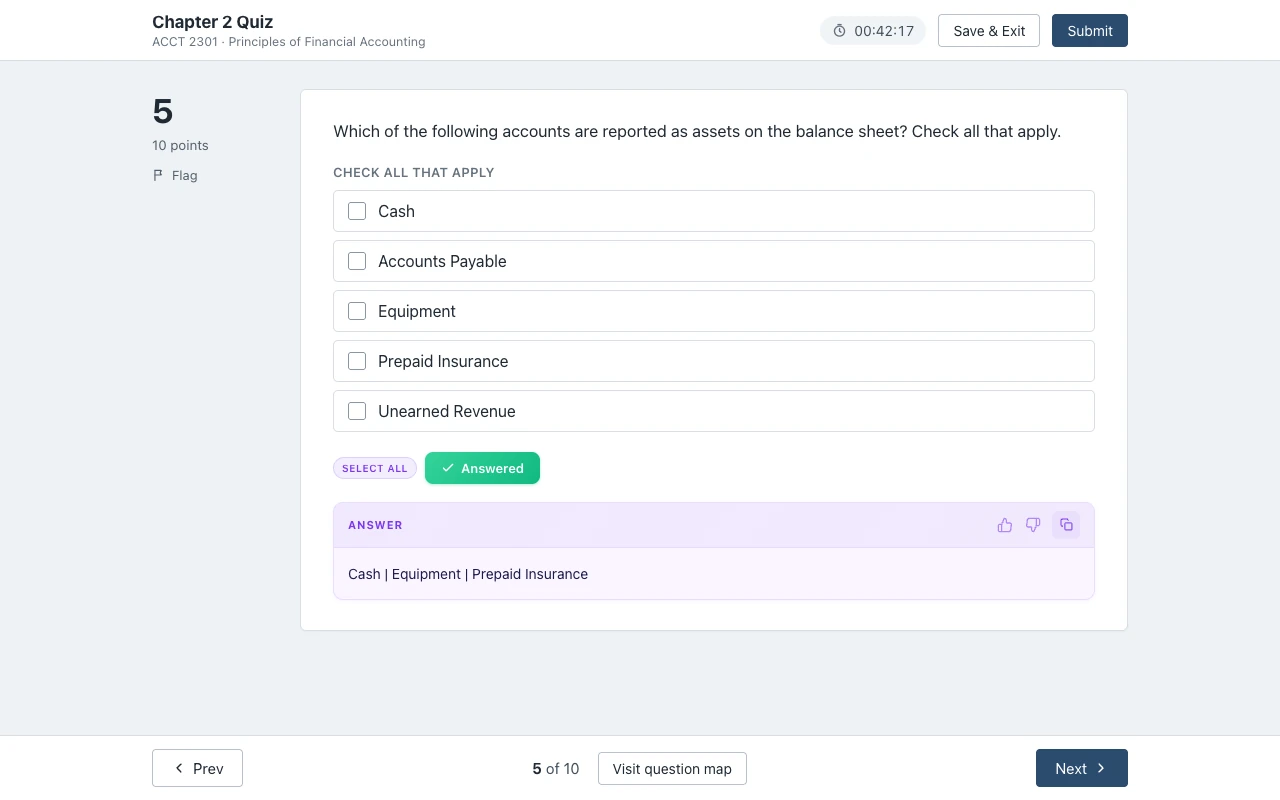
Multiple choice, true/false, check all that apply and single-box numeric questions get an answer under the question, with your numbers.
The card reads the question as Connect shows it to you, so the values in your version are the values it uses. You pick the option or type the number yourself.

Multiple choice: adjusting entries
Check all that apply: assets
Numeric questions with one answer box work too. Here is a made-up one of the kind a depreciation chapter asks:
Harbor Supply Co. buys equipment for $24,000. It has a salvage value of $4,000 and a useful life of 5 years. What is the annual straight-line depreciation expense?
The card gives the number only. The dollar sign and any units stay next to the answer box, where Connect prints them.
Answers come from AI and can be wrong. Read each one, and redo the math when a number looks off.
What it does not answer: journal entries and the accounting tool
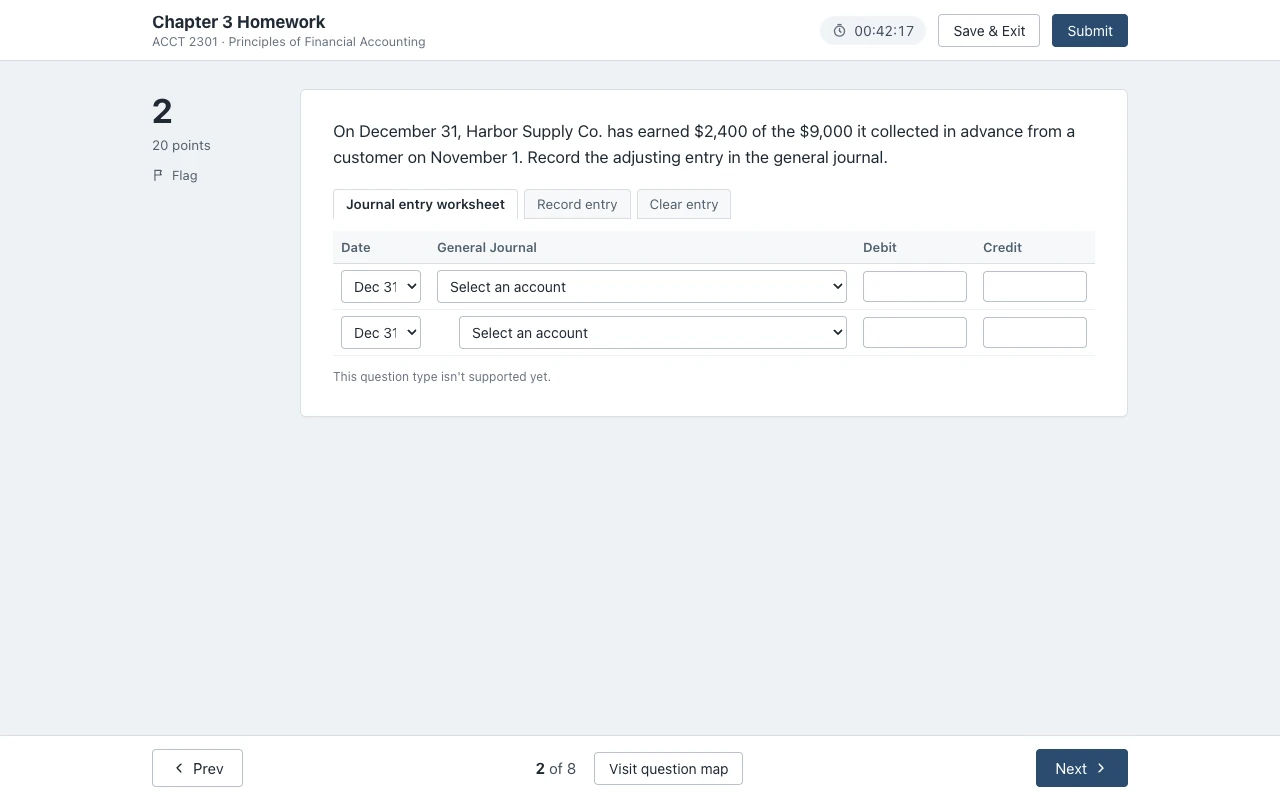
Journal entry worksheets, the accounting tool and other worksheet problems show one quiet line: "This question type isn't supported yet."
A journal entry worksheet asks you to pick accounts from a list and type debits and credits in a table, sometimes across several tabs. McGraw Hill's accounting page also describes questions that let students "see how transactions post from the general journal all the way through the financial statements". Those run in the accounting tool.
The extension does not read either one yet, so it gives no answer there:
Excel in Connect is not supported either. It opens a spreadsheet inside the assignment, and the extension does not read spreadsheets.
On a proctored exam (Proctorio and similar) the extension stays off. The popup says "Not available on proctored exams." and nothing shows on the page.
We would rather you know this now than after you pay. If your homework is all worksheets, use the free answers on your quizzes and SmartBook first, and decide from there.
Why Course Hero and Chegg solutions miss
Connect changes the numbers in many accounting questions, so a posted solution often solves a different version of your question.
McGraw Hill says Connect's accounting test bank lets instructors build assignments with "algorithmic variation, and randomized question order". In plain words, your company can have $6,000 of prepaid insurance where the posted solution has $4,800, and question 3 for you can be question 7 for a classmate.
A "chapter 3 homework answers" document then shows the method with the wrong numbers. You still redo every calculation, and you spend the time finding your question first.
Canvas Quiz Solver reads your question with your numbers and answers it in the page. That is why it is fast on quizzes, and also why we are clear that worksheets are not covered yet: a posted solution does not help there either, but the extension does not pretend to.
SmartBook for accounting
Accounting SmartBook chapters are question pages, and the answer shows right above the High, Medium and Low buttons.
McGraw Hill sells accounting Connect with SmartBook and its AI Reader, so many accounting courses assign a SmartBook chapter before the homework. SmartBook uses multiple choice, true/false, multi-select, fill in the blank, matching and ordering, and the extension reads all six. You pick the answer and click your confidence, and that submits it.
More in SmartBook answers.
Taking other Connect courses too? See what works in each subject.
One plan for accounting, every other course and Canvas
Unlimited answers are $14.99 a month, or $48.99 every 4 months, for every Connect course you take and for Canvas.
The free answers can run out in the middle of a quiz. Activate for unlimited answers, and the 7-day money-back guarantee covers you if your course turns out to be all worksheets.
Lock this price for life.
$12.25/month, billed every 4 months.
You save $10 a semester.
Renews every 4 months. Cancel anytime.
Free answers can run out mid-assignment Unlimited is $14.99/month
7-day money-back guaranteeNot happy? Email support@canvasquiz.com within 7 days of your first payment for a full refund.
Already subscribed? Sign in
Connect accounting, answered
Does it do McGraw Hill Connect accounting homework?
It answers the accounting questions that are normal question pages: multiple choice, true/false, check all that apply, single-box numeric, fill in the blank, matching and ranking. It does not do journal entry worksheets or the accounting tool yet. On those it shows "This question type isn't supported yet."
Is there a Connect accounting answer key for chapter homework?
Not for students. Instructor solutions stay with instructors, and Connect changes the numbers in many questions, so a posted chapter key often has different values from your version.
Why does it say "This question type isn't supported yet"?
That question is a worksheet, the accounting tool, or another type the extension does not read yet. It shows that line instead of a guess. Answer that question yourself; the answers come back on the next supported question.
Does it work on accounting exams?
On an exam without proctoring, yes, for the supported question types. On a proctored exam (Proctorio and similar) it stays off, and the popup says "Not available on proctored exams."
What if my homework is all journal entries?
Then it will not help much on that homework yet. Try the free answers on a quiz or a SmartBook chapter first. If you do pay and it does not fit your course, the 7-day money-back guarantee covers you.
Is it free?
You get free answers to try it on a real assignment. Unlimited answers are $14.99 a month, or $48.99 every 4 months, with a 7-day money-back guarantee. One plan covers Connect, SmartBook and Canvas.
Sources we checked
- Accounting (McGraw Hill), checked 2026-10-21
- Creating Question Bank Assignments: Policy Settings (McGraw Hill, PDF), checked 2026-10-21
- Connect - Resource assistance types (McGraw Hill), checked 2026-10-21
Your next accounting quiz, with the answers in the page.
Multiple choice, check all that apply and numeric questions get an answer under the question, with your numbers.