How McGraw Hill Connect exams work, and how to tell if yours is proctored
A Connect exam is a normal Connect assignment that your instructor marked as an exam. Your instructor sets every rule: the questions, the timer, the attempts and when you see the answers.
- Questions come from the book's test bank, often in pools, so classmates can get different questions or different numbers.
- A time limit starts when you open the exam and keeps running if you leave. When time is up, Connect submits for you.
- McGraw Hill suggests one attempt for exams, and the default feedback for exams is none.
- A proctored exam has "Proctoring Enabled" in its name and a shield icon in the list.
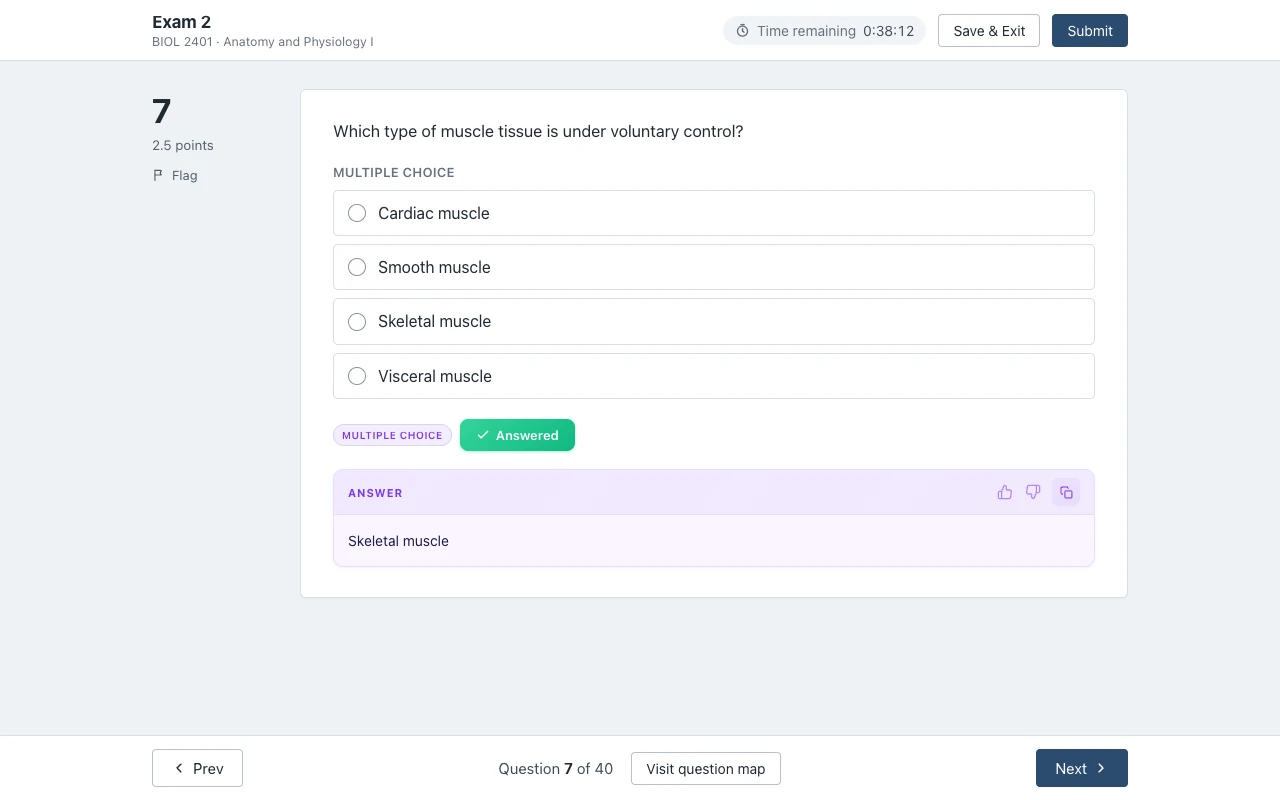
Our pickOn a Connect exam or quiz without proctoring, Canvas Quiz Solver shows the answer under each question, in the same tab. No second tab, no screenshots, and you pick the answer yourself. On a proctored exam it turns itself off.
What a Connect exam looks like
Connect has four assignment types: homework, practice, quiz and exam. McGraw Hill's guide to assignment policy settings says the instructor picks one of them for every question bank assignment, and each type has its own default settings. So an exam is built the same way as your homework, and it opens in the same Connect question player.
The difference is in where the questions come from and how they are shuffled. McGraw Hill's guide to creating an online exam lists the options your instructor has:
- Test bank: most textbooks have their own test bank in Connect. Instructors can also use homework, quiz or end-of-chapter questions.
- Algorithmic questions: each student gets the same question with different values, so your numbers may not match a classmate's.
- Pools: the instructor puts a set of questions in a pool, and each student gets a different mix from it.
- Scramble: everyone gets the same questions, in a different order.
- No question titles: the guide tells instructors to hide question titles on exams, so you cannot match a question to the book or to an older exam.
- No printing and, if the instructor wants, a password, for example on a make-up exam.
This is why "question 12 was about enzymes" from a friend often does not help. Your question 12 can come from a different pool, with different numbers, in a different place.
Time limits, attempts and auto-submit
Each rule in the table below is a setting, so read the assignment details before you click Begin. McGraw Hill's own student guide says it plainly: some assignments allow only a few attempts or have a time limit, "so be careful before jumping in".
| Setting | What it means for you | Source |
|---|---|---|
| Time limit | The timer starts when you open the exam. It "can't be paused or stopped even if the student exits". When time is up, the exam is submitted for you. | Policy settings best practices |
| Save and Exit | On a timed assignment, the clock still runs after Save and Exit. Without a time limit, you can stop and come back as often as you like before the due date. | Completing assignments (student) |
| Extra time | Instructors can give extensions on timed assignments to students who need accommodations. | Creating an online exam |
| Attempts | One, two, three or unlimited. McGraw Hill's best practice is more than one for homework and practice, "but only once if it is an exam". | Policy settings for student attempts |
| Retake penalty | A percent can come off your score for each extra attempt, and it can grow with each one: 5 percent on the second attempt, 10 on the third, and so on. | Policy settings best practices |
| Due date | With auto-submit on, an exam you left in progress is submitted on the due date, "regardless of how far along" you are. | Auto submit on due date |
| Help tools | McGraw Hill tells instructors to turn off the eBook, hints and "check my work" on exams. | Creating an online exam |
If you do get a second attempt, it matters how it is set up. With "start over", McGraw Hill says you get a new version of the exam, with new numbers on algorithmic questions. With "revise the previous attempt", you see the same version and which answers were right, but not the correct answers.
Late work is also a setting. The instructor can accept late exams with a one-time penalty, a penalty per hour or per day, or no penalty. McGraw Hill notes that Connect does not tell students about late penalties by itself, so the syllabus is the place to check. More on this in our guide to how Connect grades your work.
Is your Connect exam proctored? Look for Proctoring Enabled
Proctoring is a switch the instructor turns on for one assignment at a time. The policy settings guide calls it Enable Proctoring, and McGraw Hill's proctoring partner for Connect is Proctorio, according to its remote proctoring page.
You can tell before you start. The Connect and Proctorio student guide says three things show up:
- A "Proctoring Enabled" label in the assignment name, and a shield icon to the right of the listing.
- A request to add the Proctorio extension to Chrome or Edge on a computer. Phones and iPads are not supported for proctored assignments.
- A "Before you Begin" page that lists what will be restricted and what will be collected, before the exam opens.
If you see none of these, Connect is not proctoring that exam. Some schools add their own tool through the LMS, such as Honorlock, so check your syllabus too. We explain each setting in what "Proctoring Enabled" means and what can be recorded in does McGraw Hill record you?
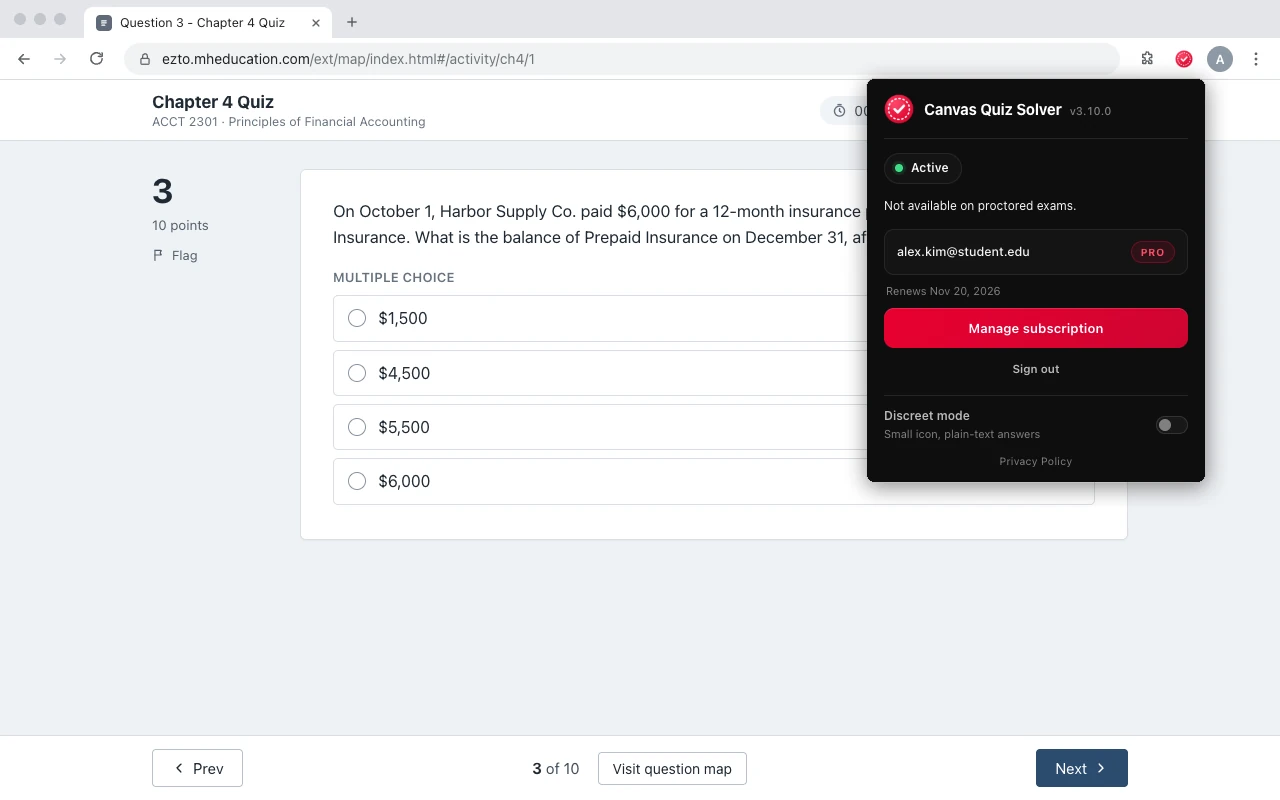
Canvas Quiz Solver does not try to get around proctoring. When it finds a proctoring tool on the page, such as Proctorio, Honorlock or Respondus, the popup says "Not available on proctored exams." and nothing shows on the page.
When you can see the answers after an exam
On an exam, the default is no feedback. McGraw Hill's exam guide says that means "students will not see question-by-question feedback or the answers". Your instructor can change it:
- After each attempt: no feedback, total scores only, or scores first with detailed feedback after the due date. McGraw Hill says detailed feedback "will always include the correct answers".
- Held feedback: the instructor can hold all feedback until a set time after the exam, so answers cannot be shared while others are still taking it.
- After each question: you see your score and the correct answer right away, but you must answer in order and lock in each answer. You cannot skip a question or go back.
To look, open the menu, click Results and pick your course. McGraw Hill's viewing grades guide says the arrow next to an assignment shows each attempt with its score, the time you submitted and your time on task. View Attempt shows your answers, and Show Correct Answers appears when your instructor allows it. If you see a dash instead of a score, McGraw Hill says the score is hidden, not missing.
Practice tests and how to study
Practice is one of the four Connect assignment types, so whether you get practice tests is up to your instructor. On many science, math and engineering questions, the instructor can also turn on practice questions: McGraw Hill's resource settings page says these are non-scored versions of the assignment questions, with different values.
Some instructors also allow study attempts. After the due date, you can retake the assignment as often as you like, and it does not change your grade.
The tips McGraw Hill publishes from students are simple. Take the practice quizzes first, and get to know the screen before a timed quiz, as one student writes. Write down the questions you got wrong and go over them before the exam, as another student suggests.
Are Connect exams hard? McGraw Hill does not publish a difficulty level for exams. The questions come from the test bank your instructor picks, and pools and new numbers make it hard to study from someone else's exam.
Answers on an exam that is not proctored
Connect quizzes and exams without proctoring open in the same question player as your homework. That is the player Canvas Quiz Solver reads. It shows the answer right under the question, in the same tab, so the timer is the only thing you watch.
- Question types: multiple choice, true or false, yes or no, check all that apply, fill in the blank, numeric, matching, ranking, short answer and essay.
- You stay in control. It never clicks, types or submits. You read the answer, pick it and move on.
- No second tab, no screenshots. It reads the question text on the page.
- Not supported yet: accounting worksheets and the accounting tool, external tools such as virtual labs, SIMnet and ALEKS, file uploads, image labeling and hotspot questions, and the older Connect player. There it says "This question type isn't supported yet."
- Off on proctored exams, as shown above.
Answers come from AI and can be wrong, so check them against what you know. Setup takes one step: open a Connect assignment, click the extension icon and tap "Keep it on for this site". Chrome asks once, and then it is on for every assignment there. It is the same account and plan as on Canvas, in beta on McGraw Hill. You get free answers to try, and Unlimited is $14.99 a month.

See every supported question type on the McGraw Hill page.
Sources we checked
- Creating Question Bank Assignments: Policy Settings (McGraw Hill, PDF), checked 2026-10-21
- Assignment Policy Settings and Best Practices (McGraw Hill, PDF), checked 2026-10-21
- Creating an Online Exam (McGraw Hill, PDF), checked 2026-10-21
- Connect - Policy settings for student attempts (McGraw Hill), checked 2026-10-21
- Connect - Auto Submit In Progress Assignments on Due Date (McGraw Hill), checked 2026-10-21
- Completing Assignments - Student (McGraw Hill, PDF), checked 2026-10-21
- Viewing Your Grades - Student Experience (McGraw Hill, PDF), checked 2026-10-21
- Connect - View Assignment Submission Details (McGraw Hill), checked 2026-10-21
- Connect - Resource assistance types (McGraw Hill), checked 2026-10-21
- McGraw Hill Connect + Proctorio Student User Guide (McGraw Hill, PDF, March 2026), checked 2026-10-21
- Remote Proctoring and Browser Locking for Online Testing (McGraw Hill), checked 2026-10-21
- Tips to Use McGraw Hill Connect: A Student's Guide (McGraw Hill blog), checked 2026-10-21
- Student Tips: Take Advantage of McGraw Hill Connect Practice Tests (McGraw Hill blog), checked 2026-10-21
Common questions
Are McGraw Hill Connect exams proctored?
Only if your instructor turned on proctoring for that exam. McGraw Hill says a proctored assignment has a Proctoring Enabled label in its name and a shield icon, and Proctorio asks you to install its extension before you start.
Does the Connect timer stop if I close the exam?
No. McGraw Hill says the timer starts when you open a timed assignment and cannot be paused or stopped, even if you exit. The clock keeps running after Save and Exit.
What happens when time runs out on a Connect exam?
Connect submits the exam for you. McGraw Hill says that when the time limit is up, the assignment is submitted automatically.
Does everyone get the same questions on a Connect exam?
Not always. Instructors can use pools so each student gets a different mix, algorithmic questions with different values, and scrambled order.
Can I go back to earlier questions on a Connect exam?
Not if your instructor shows feedback after each question: then you answer in order and lock in each answer. McGraw Hill does not document any other lock on going back.
Can I see the answers after a Connect exam?
Only if your instructor allows it. On exams the default is no feedback. Detailed feedback, when it is on, always includes the correct answers, and it can be held until after the due date.
Does McGraw Hill have practice exams?
Practice is one of the four Connect assignment types, so it depends on your instructor. Many science and math questions also offer non-scored practice versions with new values.
Does Canvas Quiz Solver work on Connect exams?
Yes, on exams and quizzes without proctoring, in beta. They use the same question player as homework. On a proctored exam it turns itself off and shows nothing.
Answers on your Connect quiz, without leaving the page
For exams and quizzes without proctoring. The answer shows under the question you are on. You pick it, you submit it. Start free.