How to cheat on McGraw Hill: every method, and what Connect can see
Stay in the McGraw Hill page. Homework, quizzes and SmartBook are not proctored, but Connect records your score, attempts and time.
- Connect reports show your score, start and finish times, attempts and total time spent.
- SmartBook adds time on questions, accuracy and the confidence you picked.
- McGraw Hill documents no tab, copy and paste or screenshot log on assignments that are not proctored.
- Algorithmic numbers and question pools mean a classmate's or a Quizlet answer may not fit your version.
- "Proctoring Enabled" exams are a different case: Proctorio can lock the browser and record you.
Our pickCanvas Quiz Solver shows the answer under each question, inside the McGraw Hill page. No second tab and no screenshot. You pick the answer and submit it yourself, and it stays off on proctored exams.

The short answer
Most McGraw Hill work is not watched live. Homework, quizzes and SmartBook assignments run in a normal browser tab, and McGraw Hill documents no tool that logs your other tabs, your clipboard or your screen on them.
What Connect does keep is a gradebook with timing. It records your score, when you started, when you finished, how many attempts you made and how long you spent. SmartBook adds how long you took on questions and whether your confidence matched your answers. That is enough for an instructor to notice a 40-question quiz finished in three minutes.
Connect also makes copied answers less useful. McGraw Hill names algorithmic content, question pooling and timed exams as the Connect features that help against cheating. Your numbers can be different from a classmate's, and your questions can come from a different pool.
Proctored exams are the exception: an assignment with the "Proctoring Enabled" label runs with Proctorio. Nothing on this page works there, and we sell nothing for it.
Every method below has the same weak point: the answer is somewhere else, so you leave the page to get it. Canvas Quiz Solver brings the answer to the question. It shows under the question in the same McGraw Hill tab, you pick it and you submit. It works on Connect assignments and quizzes and on SmartBook, and it turns itself off on proctored exams.
What McGraw Hill records on homework, quizzes and SmartBook
Your instructor sees grades, attempts and timing, not your screen. These are the reports and settings McGraw Hill describes in its own instructor guides.
| Report or setting | What it records or does | Source |
|---|---|---|
| Assignment Results | Score, Started, Completed and Time Spent for the assignment. The detail page adds the number of attempts and the score and times of each attempt. | Connect Reports guide |
| Item Analysis | The class average on each question, and how many times an assignment was submitted. | Connect analysis reports |
| SmartBook dashboard | Progress, time spent, "time each student spent on questions", accuracy, and your High, Medium or Low confidence on each answer, right or wrong. | SmartBook reports guide |
| Attempts | One, two, three or unlimited attempts. "Start over" gives a new version of algorithmic questions on each attempt. "Revise" keeps the same numbers and shows which answers were right. A score deduction per extra attempt is possible. | Attempts policy, policy best practices |
| Time limit | The timer starts when you open the assignment and "can't be paused or stopped even if the student exits". When time is up, Connect submits it. | Policy best practices |
| Scrambled questions | McGraw Hill calls scrambling ideal for quizzes, exams and "any assignment that you don't want students to be able to cheat". | Policy best practices |
| eBook, hints and check my work | The instructor can take points off when you open the eBook link or a hint, and can limit check my work. So Connect knows when you use its own help. | Policy best practices |
| Late work | Credit can drop by a percentage for each hour or day late, or Connect can submit the assignment at the due date. | Policy best practices |
Some things are not in any of it. We checked McGraw Hill's guides for each one:
- Other tabs and windows: McGraw Hill does not document a tab or focus log on assignments without proctoring. More in can McGraw Hill detect switching tabs?
- Copy and paste: no copy log is documented. The pages block copying instead: the Connect question player turns off the right-click menu, and SmartBook question text cancels cut, copy and paste. More in can McGraw Hill see if you copy and paste?
- Screenshots: McGraw Hill does not document screenshot detection. More in can McGraw Hill detect screenshots?
- Your IP address: McGraw Hill does not document this in any instructor report we found.
- Time per question on Connect: the Connect Reports guide lists total time per attempt, not per question. An instructor writing on McGraw Hill's blog in 2025 says Connect lets you "track the amount of time spent on each item", so plan as if your instructor can see it. SmartBook does report time on questions.
"Not documented" is not the same as "not possible". It means McGraw Hill's own guides do not list it, so nobody can honestly promise you either way.
How students cheat on McGraw Hill, and what each method leaves
Ask Reddit or TikTok how to cheat on McGraw Hill Connect and the same methods come up. The table puts each one next to what McGraw Hill can record on a normal assignment, and whether it still works when Connect gives you your own numbers. Proctored exams have their own section below.
| Method | What it leaves | Works on your own numbers? |
|---|---|---|
| ChatGPT or Google in a second tab | No documented tab log without proctoring. Every trip adds time, and the copy block means you retype the question. A time limit keeps running while you are away. | Yes, if you retype your numbers correctly. |
| Second monitor or split screen | The same as a second tab on a normal assignment. On a proctored exam, Proctorio can block other displays. | Yes, if you retype your numbers correctly. |
| Phone next to the laptop | Nothing about the phone itself. Typing or photographing each question is slow, and time spent is recorded. | Yes. |
| Screenshot plus an AI app | McGraw Hill documents no screenshot detection. It is a second app and a wait for every question, and the time adds up. | Yes. |
| Chegg, Quizlet or Course Hero | Nothing documented on Connect. The risk is the answer: it may be for another version of the question. | Often not. The posted answer has someone else's numbers. |
| Group chat or a friend | Item Analysis shows the class average on each question, so a wrong answer that many students share is easier to notice. | Often not. Algorithmic questions differ per student. |
| Answers from an earlier attempt | Every attempt is in Assignment Results, and the instructor can take points off for each extra one. | Only in "revise" mode. "Start over" gives new numbers. |
| Auto-solver that clicks for you | It picks, rates and moves on by itself. In SmartBook that can mean very short times and the same confidence on every answer. | Yes, it reads the page. A wrong answer is submitted before you see it. |
| Answer shown in the page (Canvas Quiz Solver) | No second tab, no copy and no screenshot. Your score, attempts and time are recorded, as for every student. You pick and submit each answer. | Yes. It reads the question on your screen, with your numbers. |
"What it leaves" is for assignments without proctoring, from McGraw Hill's own guides. Where a guide says nothing, the table says nothing is documented.
A second tab or a second screen
This is the most common method, and the slowest one on McGraw Hill. The Connect question player turns off the right-click menu, and SmartBook cancels copy on its question text. So you retype each question into ChatGPT or Google, then carry the answer back by hand. On a timed quiz, the timer keeps running the whole time. A second monitor saves the tab switch but not the typing.
Your phone
A phone next to the laptop is outside McGraw Hill, so a normal assignment records nothing about it. The cost is time: every question is typed or photographed and read back. On a proctored exam with the webcam on, the camera can see the phone.
Chegg, Quizlet and saved answers
Posted answers only help when your question is the same as the one that was posted. Connect's algorithmic questions change the numbers per student and per "start over" attempt, and question pools change which questions you get. McGraw Hill's own best practices say that with "start over", students "will see a new version of the assignment in each attempt". So check the numbers before you trust a posted answer.
How to cheat on a McGraw Hill Connect exam
First check if the exam is proctored. McGraw Hill's Connect and Proctorio student guide says a proctored assignment shows a "Proctoring Enabled" label in its name and a shield icon next to it. You also have to add the Proctorio extension and pass a set of checks before it opens.
If the label is there, this page has nothing for you. McGraw Hill says Proctorio can "verify student identity, lock down the browser, record exam sessions, and flag suspicious testing behavior". The Proctorio settings checklist lets the instructor record video, audio, screen and web traffic, block other displays, disable the clipboard and right-click, and disable other browser extensions. Canvas Quiz Solver turns itself off there: the popup says "Not available on proctored exams." and nothing shows on the page. Read what "Proctoring Enabled" means before you start one.
Some instructors use other recording tools. One instructor writing on McGraw Hill's blog describes proctoring Connect exams with Tegrity, which records the webcam and the screen. If an exam asks you to start a recording, treat it as proctored.
If there is no label, a Connect exam is an assignment with stricter settings. These are the ones that change things for you:
| Exam setting | What it changes for you |
|---|---|
| Time limit | The timer cannot be paused, even if you leave. Every trip to another tab costs exam time. |
| One attempt | McGraw Hill suggests one attempt for exams, so there is no second try with answers from the first. |
| Scrambled questions and pools | Your questions and their order can differ from a classmate's. |
| Feedback after each question | The policy guide says you must answer in order and lock in each answer, so you cannot come back later. |
On an exam without proctoring, Canvas Quiz Solver works the same way as on homework. The answer shows under each question, inside the exam page, so there is no tab to open while the timer runs. Answers come from AI and can be wrong, and an exam counts for more, so read each one against your notes before you pick it. Our guide to McGraw Hill Connect exams covers the rest.
How to cheat on SmartBook
SmartBook punishes wrong answers with more questions. McGraw Hill's SmartBook instructor overview says it adapts to each student, and when a student is "clearly struggling with a concept", it forces a pause and sends them to read before more questions. So the slow part of SmartBook is not the right answers. It is the extra questions you get after the wrong ones.
Each SmartBook question has two steps: you pick an answer and you rate your confidence. The High, Medium or Low button is what submits it. The SmartBook reports guide says the instructor sees whether each answer was right, the confidence you chose, your accuracy and the time you spent on questions.
That is why auto-solvers stand out in SmartBook and an answer you pick yourself does not. A bot answers in a second and rates every answer the same. A student who reads the answer, clicks it and rates it takes normal time, like everyone else. Compare the two in auto-mcgraw vs Canvas Quiz Solver, and read more in does SmartBook detect cheating?
McGraw Hill also acts against SmartBook tools. In 2024, the developer of SmarterBook, an extension that added Google, Quizlet and AI buttons to SmartBook, got a cease-and-desist letter from McGraw Hill's law firm and shut it down in March. The letter said the extension was "facilitating cheating by students".
One more fact saves time: after the due date, a SmartBook assignment goes into Recharge mode, where McGraw Hill says "progress is no longer recorded". Work done there does not change your grade. For speed without bots, see how to finish SmartBook fast.

Why the answer in the page leaves the least
Every method above sends you somewhere else for the answer: a tab, a phone, a screenshot, a chat. Canvas Quiz Solver is a Chrome extension that does the opposite. It reads the question on the McGraw Hill page and shows the answer right under it.
- No second tab. The answer is in the tab you are already in, so there is no trip away while a timer runs.
- No copy and no screenshot. The copy block does not matter, because nothing is copied. It reads the question on the page.
- Your own numbers. It answers the question on your screen, so algorithmic values and question pools do not get in the way.
- You stay in control. It never clicks, types or submits. You pick the answer and submit it yourself, at your own pace.
- Off on proctored exams. When it sees a proctoring tool such as Proctorio, it shows nothing.
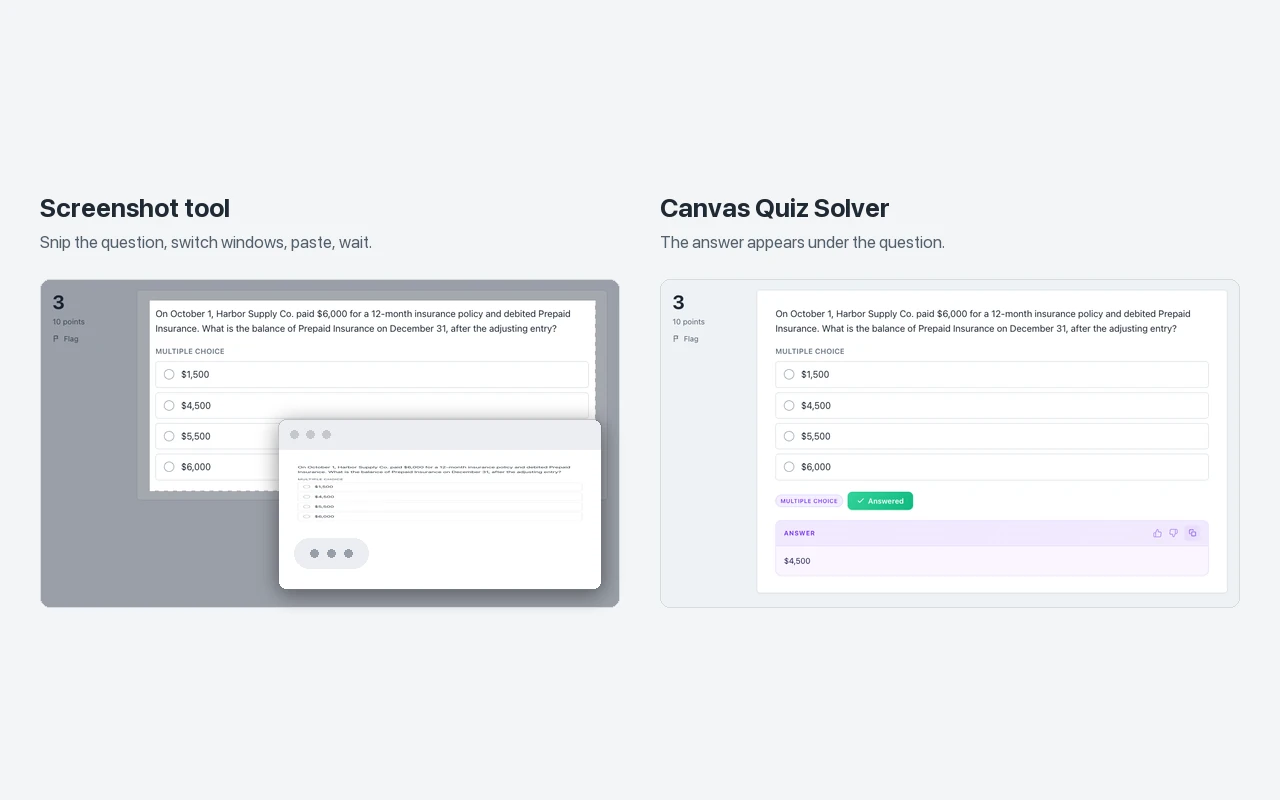
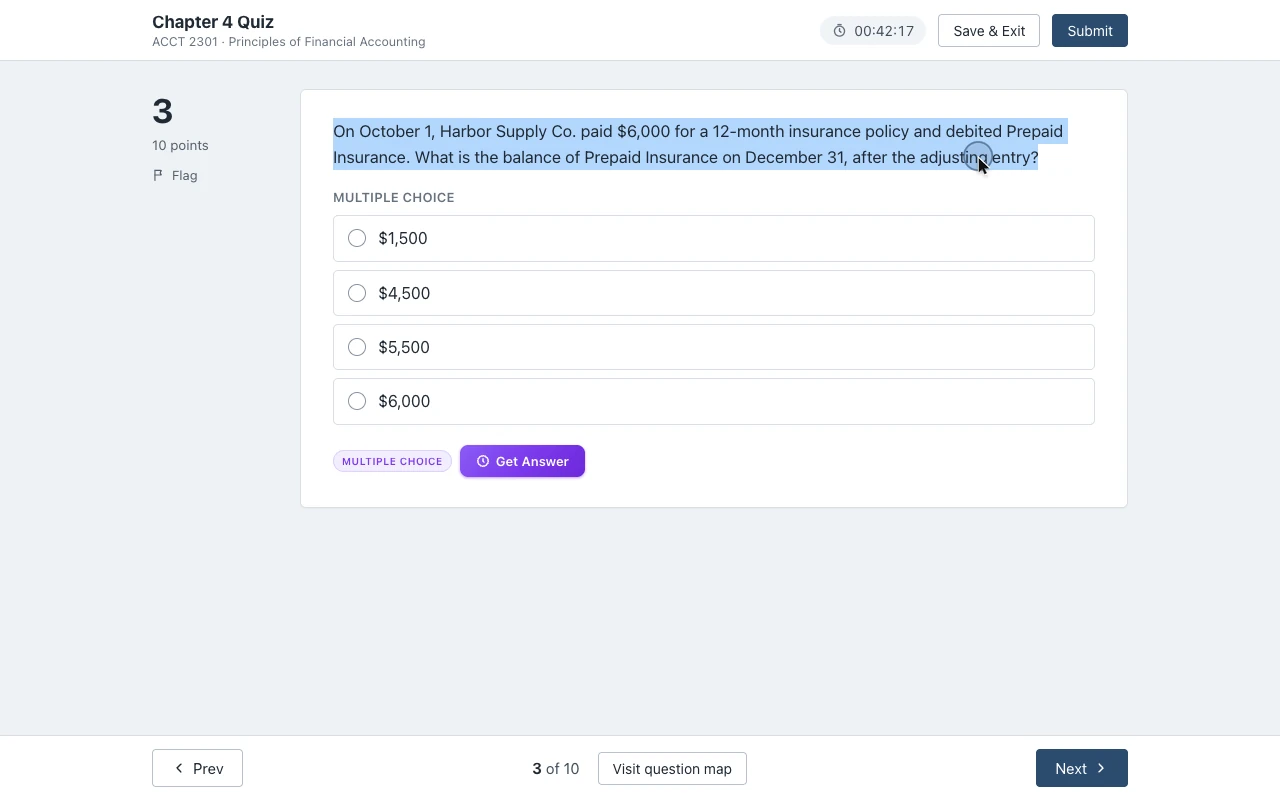
It works on McGraw Hill Connect assignments and quizzes and on SmartBook, in beta. On Connect it reads multiple choice, true or false, yes or no, check all that apply, fill in the blank, numeric, matching, ranking, short answer and essay. On SmartBook it reads multiple choice, true or false, multiple select, fill in the blank, matching and ordering. In SmartBook the answer shows above the High, Medium and Low buttons.
It does not read accounting journal worksheets, the accounting tool, external tools such as virtual labs, SIMnet or ALEKS, file uploads, or the older Connect player. On those it says "This question type isn't supported yet." instead of guessing. Answers come from AI and can be wrong, so check the ones that count.
Setup is one step. Open an assignment, click the extension icon and tap "Keep it on for this site". Chrome asks once, and then it is on for every assignment there. It is the same account and plan as on Canvas: you get free answers to try, and Unlimited is $14.99 a month or $48.99 every 4 months. See every question type on the McGraw Hill page.
What Reddit says about cheating on McGraw Hill
Search Reddit for how to cheat on McGraw Hill and the same threads come up. Here is what each one says, in short, checked against McGraw Hill's own guides.
- Are we good to cheat on NOT proctored McGraw Hill Connect tests? (r/CollegeHomeworkTips) - the reply: "It's called an open book test. If they didn't want you using other resources they would have the test proctored." Another student asks how to know if an exam is proctored. Answer: the "Proctoring Enabled" label and the shield icon.
- McGraw Hill Connect exams (r/college) - a student asks if teachers can see other tabs. The one reply: "Any website has the potential to know if it's in focus or not. Assume that the feature is implemented." That is fair advice. McGraw Hill documents no such log, but it could exist.
- McGraw-Hill Connect (r/college) - a statistics student wanted the tables from the book during an at-home test and did not want it to look like cheating. They ended up using screenshots of the tables. The lesson: ask your instructor what is allowed.
- McGraw Hill SmartBook assignments, I found a way to finish them quicker (r/CollegeRant) - a trick with a duplicate tab: answer in the copy until it is right, then refresh the first tab and answer the same question there. McGraw Hill does not document how SmartBook records this, and a trick like this can stop working with any update.
- I finally finished my 231 concept McGraw Hill SmartBook assignment (r/CollegeRant) - seven hours for one assignment, and over 100 upvotes from students who feel the same. This is why people search for shortcuts.
- McGraw Hill cheat method (r/studytips) - a user offers an extension that copies questions into ChatGPT and back, by direct message only. Before you install any extension, ours included, check its Chrome Web Store listing and what it asks to access.
Reddit gets the main line right: proctored or not is what matters. Two other ideas from the same threads do not hold:
- "McGraw Hill can't see anything." Wrong. It records your score, attempts, start and finish times and time spent, and SmartBook adds your confidence on each answer.
- "Just use the answers from Quizlet." Often wrong for Connect. Algorithmic questions give you different numbers, so the posted answer can be for someone else's version.
What these threads do not offer is a way to get the answer without leaving the page. Canvas Quiz Solver does that, on assignments without proctoring.
What happens if an instructor thinks you cheated
The instructor decides, not the software. McGraw Hill's blog post on handling cheating tells instructors to start with a one-on-one talk, then agree on next steps. For a first offense it suggests a zero on the assignment may be fair, and it says every incident should be reported to the college. Your school's academic honesty policy sets the rest.
What an instructor can bring to that talk is what the reports show: your times, your attempts, your answers and how they compare with the class. That is why the methods that leave you looking like every other student matter more than any trick.
Sources we checked
- Connect Reports: Assignment Results, Student Performance, At-Risk Students (McGraw Hill, PDF), checked 2026-10-21
- Connect Reports: Assignment Statistics, Item Analysis, and Category Analysis (McGraw Hill, PDF), checked 2026-10-21
- SmartBook Reports in Connect (McGraw Hill, PDF), checked 2026-10-21
- SmartBook 2.0 Instructor Overview (McGraw Hill, PDF), checked 2026-10-21
- Connect - Policy settings for student attempts (McGraw Hill, updated 2026-03-24), checked 2026-10-21
- Assignment Policy Settings and Best Practices (McGraw Hill, PDF), checked 2026-10-21
- Creating Question Bank Assignments: Policy Settings (McGraw Hill, PDF), checked 2026-10-21
- McGraw Hill Connect + Proctorio Student User Guide (McGraw Hill, PDF), checked 2026-10-21
- Remote Proctoring and Browser Locking for Online Testing (McGraw Hill), checked 2026-10-21
- Proctorio Settings Checklist (McGraw Hill, PDF), checked 2026-10-21
- Tips to Promote Academic Integrity in Your Course (McGraw Hill blog, February 2024), checked 2026-10-21
- How Online Proctoring Can Prevent Cheating (McGraw Hill blog, an instructor's post), checked 2026-10-21
- 3 Key Steps When Handling Situations Involving Cheating (McGraw Hill blog), checked 2026-10-21
- Connect features for increasing student accountability (McGraw Hill blog, an instructor's post, August 2025), checked 2026-10-21
- Connect question player page and SmartBook main code file (McGraw Hill), checked 2026-10-21
- I got a cease and desist letter (Micah Lindley, the SmarterBook developer, November 2024), checked 2026-10-21
- The six Reddit threads in What Reddit says (student posts, not documentation), checked in a Reddit archive 2026-10-21
Common questions
How to cheat on McGraw Hill without getting caught?
Stay in the McGraw Hill page. On homework, quizzes and SmartBook, McGraw Hill documents scores, attempts and time, not your screen or your tabs. Canvas Quiz Solver shows the answer under the question in the same tab, so there is no second tab, copy or screenshot. Your score and time are still recorded, as for every student, and proctored exams are a separate case.
Can McGraw Hill detect cheating if not proctored?
McGraw Hill documents no tab, copy and paste or screenshot log on assignments without proctoring. It does record your score, start and finish times, attempts and total time, and SmartBook adds time on questions and your confidence. An instructor can notice a pattern in those numbers.
How to cheat on a McGraw Hill Connect exam?
Check the assignment list first. A Proctoring Enabled label and a shield icon mean Proctorio is on, and nothing on this page works there. On an exam without that label, the time limit keeps running if you leave the page, so keep the answer in the page. Canvas Quiz Solver works there the same way as on homework.
How to cheat on SmartBook?
SmartBook asks more questions when you miss one, so the fast way through is to get each answer right the first time. Canvas Quiz Solver shows the answer above the High, Medium and Low buttons, and you pick and rate it yourself. Auto-solvers that click everything for you leave very short times and the same confidence on every answer.
Does McGraw Hill know if you use Chegg or Quizlet?
McGraw Hill does not document any check for outside sites on normal assignments. The bigger risk is the answer itself: algorithmic questions give each student different numbers, so a posted answer is often for someone else's version.
Can McGraw Hill see your IP address?
McGraw Hill does not document this. No instructor report we found lists an IP address for Connect or SmartBook.
Are there McGraw Hill hacks or cheat extensions?
Yes, several Chrome extensions answer McGraw Hill questions. Some click through the whole assignment for you, and one, SmarterBook, shut down in 2024 after a letter from McGraw Hill's lawyers. Canvas Quiz Solver only shows the answer in the page, and you pick and submit it yourself.
Can McGraw Hill detect Chrome extensions?
McGraw Hill documents no extension check on normal assignments. On a proctored exam, Proctorio's settings include disabling other browser extensions, and Canvas Quiz Solver turns itself off there anyway.
What does Reddit say about cheating on McGraw Hill?
Most threads say an exam without proctoring is treated like an open book test, and that Proctoring Enabled is the line to watch. Others trade SmartBook speed tricks and links to copy and paste extensions. The threads are opinions; the McGraw Hill facts are in the sources on this page.
Answers inside McGraw Hill, without leaving the page
The answer shows under the question you are on. You pick it, you submit it. Start free.