auto-mcgraw for McGraw Hill: how it works and what to use instead
auto-mcgraw is a free GitHub project that runs a SmartBook assignment for you through a ChatGPT, Gemini or DeepSeek tab. Here is how it works, why it stops working, and what to use if you want the answer without the autopilot.
auto-mcgraw is an autopilot. It answers, rates your confidence and moves on without you.
- It is not on the Chrome Web Store. You load it by hand in Developer mode.
- It needs a second tab with ChatGPT, Gemini or DeepSeek signed in.
- It breaks when either site changes. Its GitHub issues are full of “stops working” reports.
- Canvas Quiz Solver shows the answer inside the SmartBook or Connect page. You pick and submit.
Our pickCanvas Quiz Solver works on McGraw Hill Connect and SmartBook (beta). One install from the Chrome Web Store, no second tab, and you stay in control.
Add to Chrome - freeWhat auto-mcgraw is
auto-mcgraw (“Auto-McGraw Smartbook”) is an open-source Chrome extension on GitHub. Its README describes it as a way to “automate your McGraw Hill Smartbook homework with AI integration”. It is free and uses the MIT license.
- Who makes it: the GitHub user GooglyBlox. The repo started in February 2025.
- Latest version: v3.0, released on 30 September 2026. That is also the date of the last commit on the main branch.
- Downloads: the v3.0 zip has 5,228 downloads on GitHub, and the repo has 80 stars and 25 forks.
- Where it runs: the README covers SmartBook. The v3.0 code also loads on Connect quiz pages for multiple choice, true/false and fill in the blank (manifest).
The README also says it is not affiliated with McGraw Hill and is “for educational purposes only”.
How it works, step by step
Setup, from the README:
- Download the newest zip from the releases page and unzip it.
- Open
chrome://extensions, turn on Developer mode, and click “Load unpacked”. - Open a SmartBook assignment, and sign in to ChatGPT, Gemini or DeepSeek in another tab.
- Click the “Ask [AI Model]” button in the SmartBook header, then “OK” to start.
Then the loop runs by itself. It copies each question into your AI tab, reads the reply, and “automatically fills in answers”. It handles multiple choice, true/false, select all that apply, fill in the blank and matching. It also clicks through the reading sections SmartBook sends you to.
In SmartBook, each question has two steps: answer it, then rate your confidence (McGraw Hill's SmartBook guide). auto-mcgraw does both. By default it picks High every time, and a “Randomize Confidence” setting picks High, Medium or Low at random instead. A “Pause Before Submit” setting makes it fill in each answer and wait for you. A “Double Credit Mode” answers each question in a duplicate tab as well.
When it cannot apply an answer, it shows the AI's answer in an alert and waits for you to answer by hand. Matching works the same way when it cannot make a reliable match.
Why auto-mcgraw stops working
If you searched “auto mcgraw not working”, you are not alone. The project's issue list shows the same few problems again and again.
- No Ask button: the button does not show in the SmartBook header (issue 51, October 2026).
- Stops after a few questions: “Stops working at question 4” with all three AIs (issue 41).
- Element not found: it cannot find the High confidence button and stops (issue 42).
- AI limits: one user had to stop because ChatGPT limited their messages for a few hours (issue 29).
The cause is built in. auto-mcgraw reads two sites it does not control: the SmartBook page and the AI chat page. When ChatGPT changes its message box, or SmartBook renames a button, the loop breaks until someone patches it. The v3.0 release notes list fixes for exactly that: a new ChatGPT composer, new ChatGPT reply markup, and “automation stalling after a few questions”.
One more catch: Chrome does not update an unpacked extension for you. If it worked last month and not today, download the newest release and load it again.
The risk of a bot that submits for you
With an autopilot, you are not in the loop. AI answers can be wrong, and the bot submits a wrong answer before you ever read it. In SmartBook, the confidence click is part of the answer, so a bot that always says High is also rating answers you never saw.
McGraw Hill has acted against a SmartBook extension before. The developer of SmarterBook, Micah Lindley, wrote that McGraw Hill's law firm sent him a cease-and-desist letter in February 2024. He shut the extension down in March 2024 (his post). SmarterBook did less than auto-mcgraw does: it added search buttons above each question and did not answer by itself.
McGraw Hill does not document how it treats fast, automated answering on homework. For what it does document, see does McGraw Hill Connect detect cheating.
auto-mcgraw vs other McGraw Hill tools
Seven ways to get McGraw Hill answers, from each tool's own pages and code.
| Tool | Where it runs | Answers for you | Install | Price |
|---|---|---|---|---|
| Canvas Quiz Solver | Connect and SmartBook (beta), plus Canvas quizzes | No. The answer shows in the page; you pick and submit | Chrome Web Store | Free answers to try, then $14.99/mo or $48.99 per 4 months |
| auto-mcgraw | SmartBook; some Connect quiz types in v3.0 | Yes. Fills in, rates confidence and moves on, unless you turn on Pause Before Submit | Zip from GitHub, Developer mode | Free, plus your AI account |
| auto-mcgraw forks | Varies | Varies. Anyone can change a fork's code | Zip from GitHub, Developer mode | Free |
| SnapGPT | Connect and other sites | Not by default. Autopilot (paid) clicks through a set and never submits | Chrome Web Store | $7.99/wk, $9.99/mo or $89.99/yr |
| SolveX | Connect and SmartBook | Yes. Auto-Solve moves through an activity | Chrome Web Store | $2.99 day pass; weekly, monthly or semester plans |
| QuizMate | A button on SmartBook and Canvas questions; highlight or snapshot elsewhere | Only with its Auto Select setting, which is off by default | Chrome Web Store | $7.99/wk, $19.99/mo, or $10.99/mo billed yearly |
| BetterBook | Its site's Chrome button installs SmartSolve: highlight or snapshot on any page | One BetterBook site claims auto-solve; we found no auto-click code in SmartSolve | Chrome Web Store (as SmartSolve) | No price on its pages |
More detail: BetterBook vs Canvas Quiz Solver, QuizMate vs Canvas Quiz Solver, SnapGPT vs Canvas Quiz Solver and the best AI for McGraw Hill.
An answer in the page instead of an autopilot

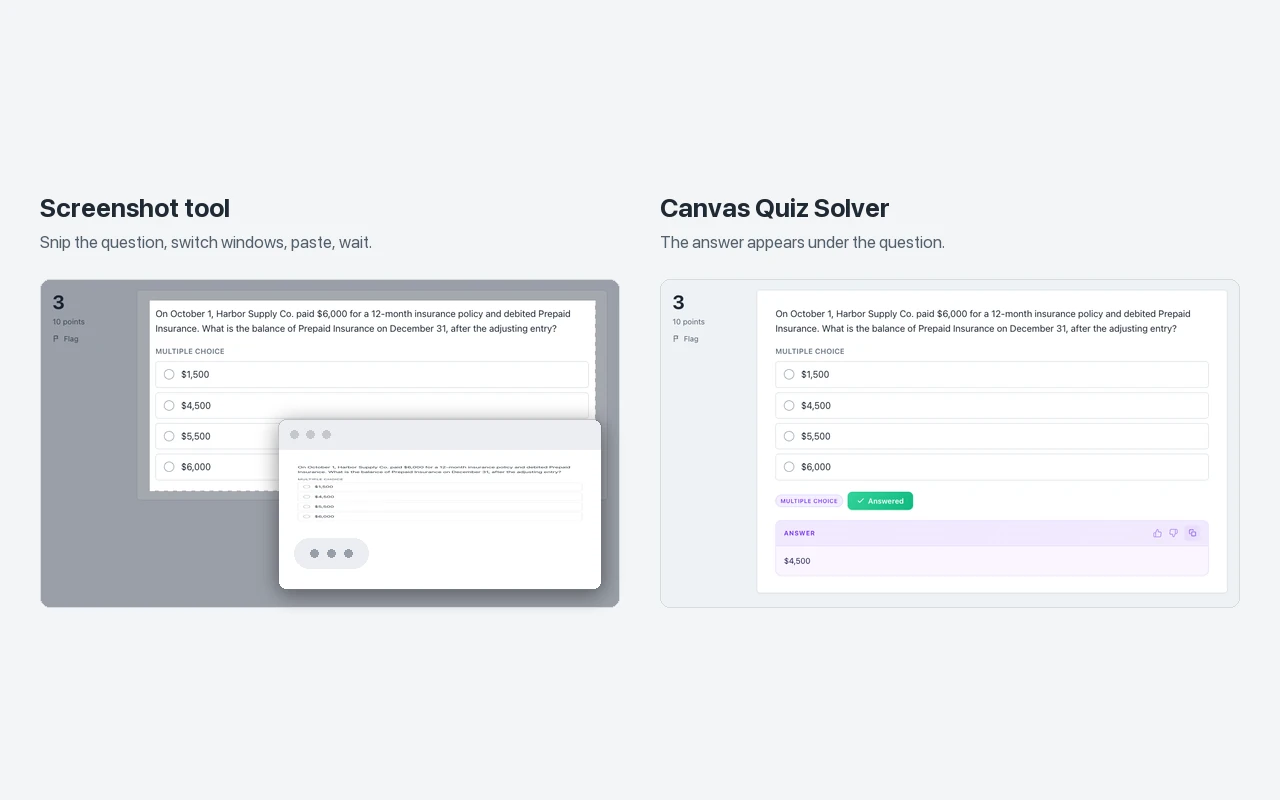
Canvas Quiz Solver does the part you actually need and leaves the rest to you. The answer appears inside the page, right under the question. On SmartBook it sits above the High, Medium and Low buttons, so you see it before you rate your confidence. You read it, pick the option, and submit.
There is nothing to unzip and no Developer mode. There is no second AI tab to keep signed in, and no loop that dies at question 4.
- Connect assignments and quizzes: multiple choice, true/false, yes/no, check all that apply, fill in the blank, numeric, matching, ranking, short answer and essay.
- SmartBook: multiple choice, true/false, multi-select, fill in the blank, matching and ordering.
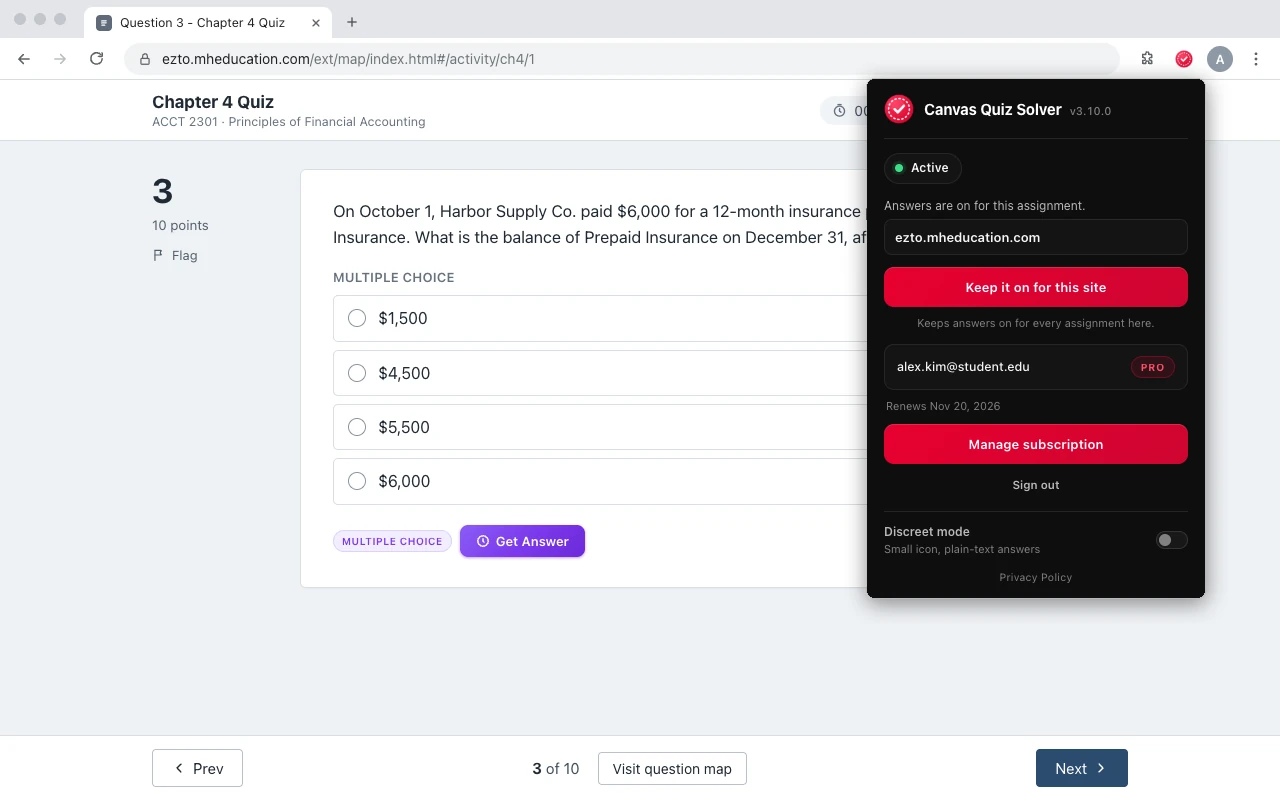
- Setup: add it from the Chrome Web Store, open the assignment, click the extension icon, and tap “Keep it on for this site”. After that it is on for every assignment there.
- Where it stops: it does not run on proctored exams. Accounting worksheets, the accounting tool, external tools such as virtual labs, SIMnet and ALEKS, file uploads and the older Connect player show “This question type isn't supported yet.”
- One account: the same plan covers Canvas quizzes too. It is in beta on McGraw Hill. Answers come from AI and can be wrong, so you stay the one who decides.
Full details: Canvas Quiz Solver on McGraw Hill Connect and on SmartBook. Short on time? Read how to finish SmartBook fast.
Common questions
Is auto-mcgraw on the Chrome Web Store?
No. Its README says it is not published on the Chrome Web Store and that the GitHub releases page is the only official download. It warns that copies on the Chrome Web Store are unofficial reuploads it cannot vouch for. You install it by turning on Developer mode and loading the unzipped folder.
Is auto-mcgraw free?
Yes. It is an open-source project under the MIT license. It needs you to be signed in to ChatGPT, Gemini or DeepSeek in another tab, so the limits of that AI account apply to it.
Why is auto-mcgraw not working?
The common causes in its GitHub issues: the Ask button does not show in the SmartBook header, the run stops after a few questions, or it cannot find the confidence button. It reads two sites it does not control, the SmartBook page and the AI chat page, so a change on either one can stop it. Unpacked extensions also do not update by themselves, so check that you run the newest release.
Does auto-mcgraw work on McGraw Hill Connect?
Its README describes SmartBook only. Version 3.0 also loads a script on Connect quiz pages (ezto.mheducation.com) that handles multiple choice, true/false and fill in the blank. Matching, check all that apply and other Connect types are not in that script.
Does Canvas Quiz Solver submit answers for me?
No. It shows the answer inside the Connect or SmartBook page, under the question. You pick the option and submit it yourself. It never fills in, clicks or submits anything.
Sources
- auto-mcgraw README, manifest, v3.0 release notes and issues (GitHub), checked 2026-10-21
- Complete a SmartBook 2.0 assignment (McGraw Hill, PDF)
- I got a cease and desist letter (Micah Lindley, SmarterBook developer)
Skip the autopilot. Get the answer on the page.
One click. The answer shows with the question. You pick and submit.